Search
Ask it the way you would ask a person
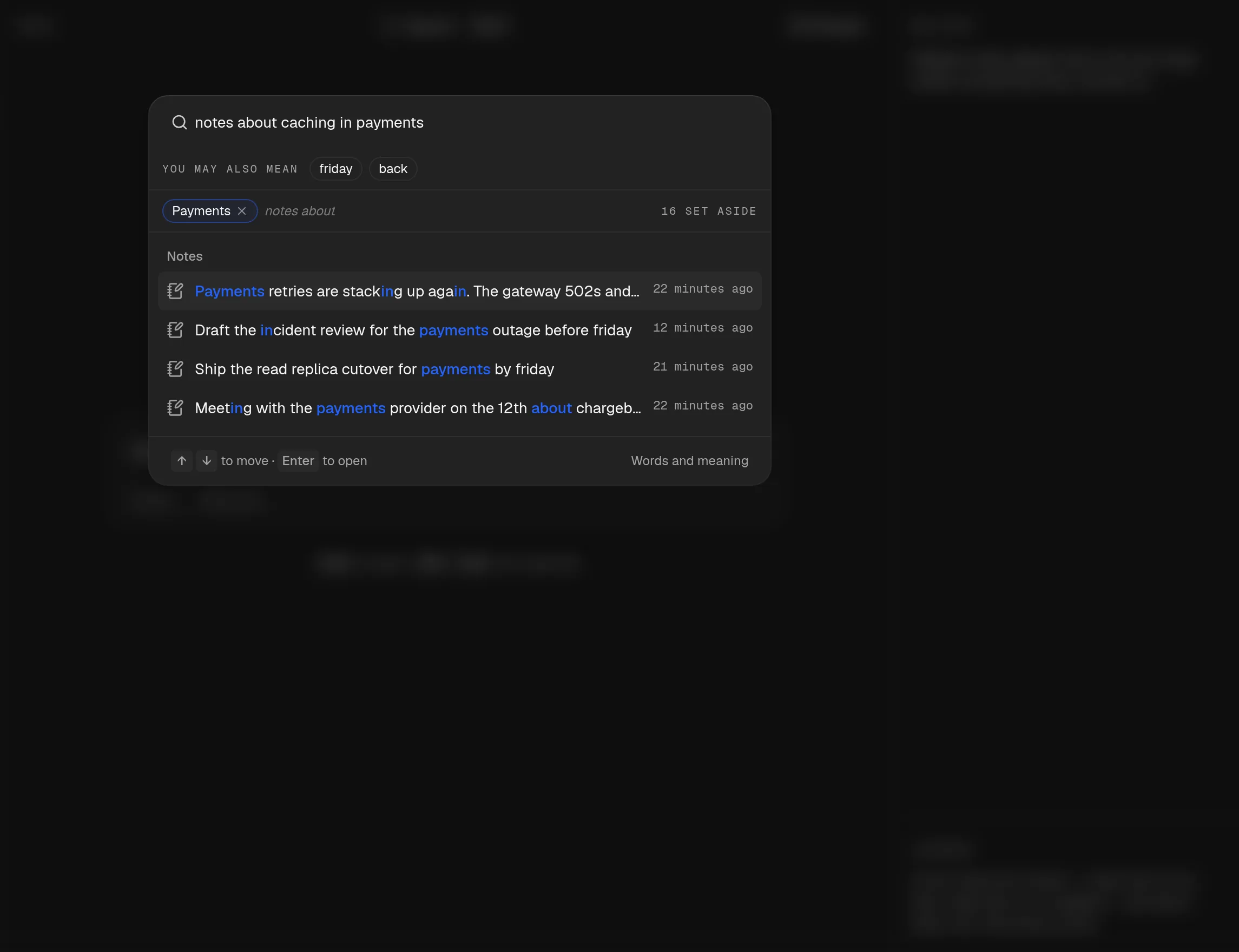
“notes about caching in payments” is two questions in one. echo pulls the subject away from the project, shows each filter as a chip that is one press from gone, and says how many notes it set aside.
No AI · Open source · Runs on your machine · No account
Write one line and press Enter. echo finds the deadline, the task and the words you keep using, then hands them back when you need them. Nothing leaves your machine.
What echo does
Search
“notes about caching in payments” is two questions in one. echo pulls the subject away from the project, shows each filter as a chip that is one press from gone, and says how many notes it set aside.
Filing
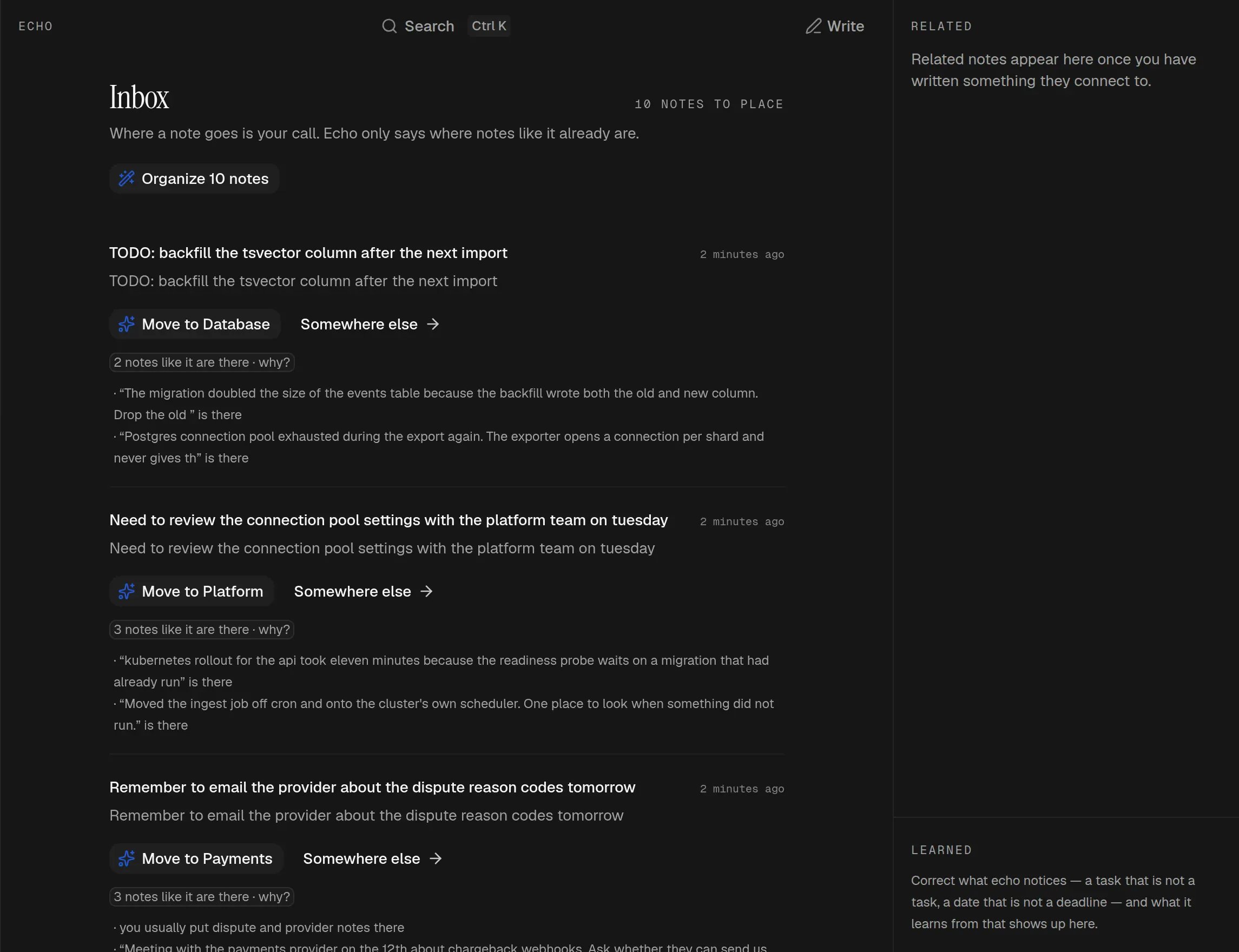
echo suggests where a note belongs and shows the notes that led there, ones you can open and disagree with. The Inbox works the whole pile out first and moves nothing until you press it.
Related
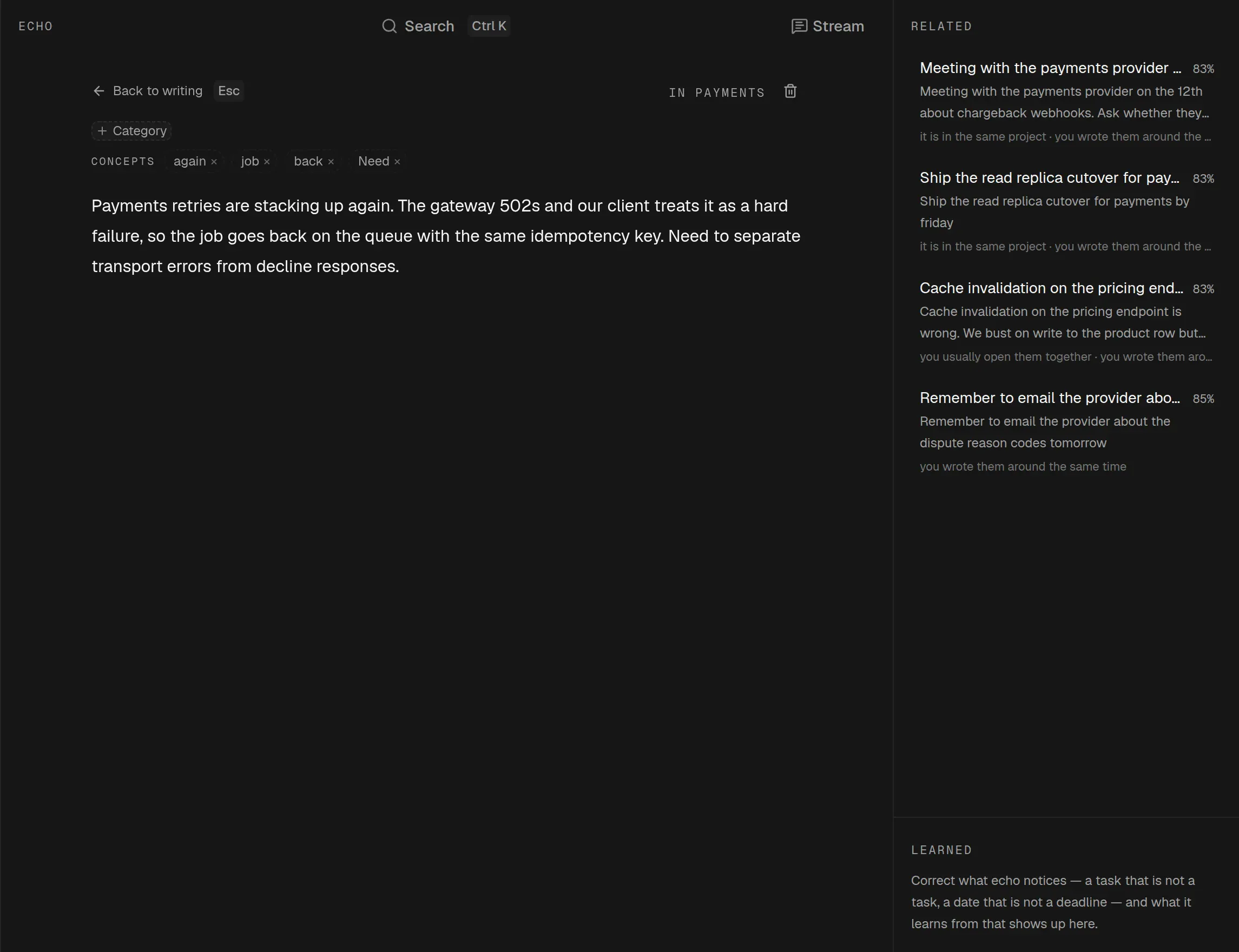
The panel beside it gives the reason in words rather than a score: same project, same fortnight, you usually open them together. The concepts across the top came out of the note itself.
Vocabulary
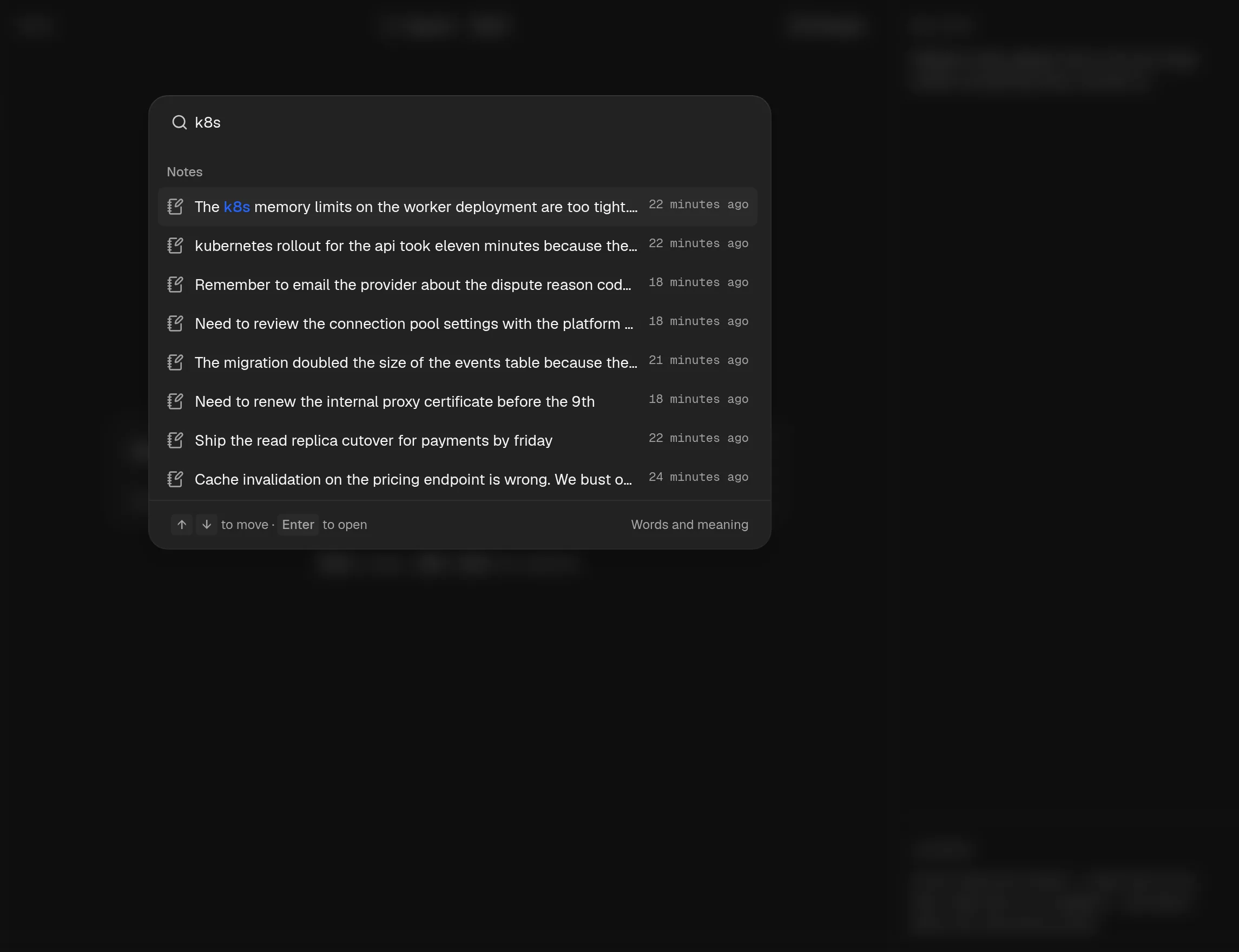
You type k8s. Half your notes say kubernetes and the rest say the cluster. echo works that out on its own, from your notes alone, so searching one finds the other. It learns the words you keep using.
A stream, a task list, a window of its own and a page you write on. Nothing here is a separate place to keep up to date.
Real Postgres, compiled to WebAssembly, running in your tab. There is no server to point it at and no account behind it, which is why setup is a clone, an install and a dev server.
$ git clone https://github.com/luannzin/echo.git
$ cd echo && bun install
$ bun run dev
Open http://localhost:3000. There is no .env to fill in and no account to create.
A real index, not a scan. Ten thousand notes answer a query in 21 ms, and related notes in 8 ms. Meaning arrives a moment behind the words and re-orders the answers rather than holding them up.
21 ms · 10,000 notes
Install it from the browser and it opens with no network at all. The shell, the database and every note are already on the machine.
Learned rules are never stored: they are worked out again from your corrections every time they are read. Delete the correction and the rule stops existing.
macOS, Windows and Linux through Tauri, with an editor mode the website never offers: your open notes along the top, a split view, and nothing else.
Support
echo is free, has no account and no paid tier. It stays that way. If it saved you an afternoon, buy me a coffee.
One off · no subscription